 My Psico Agenda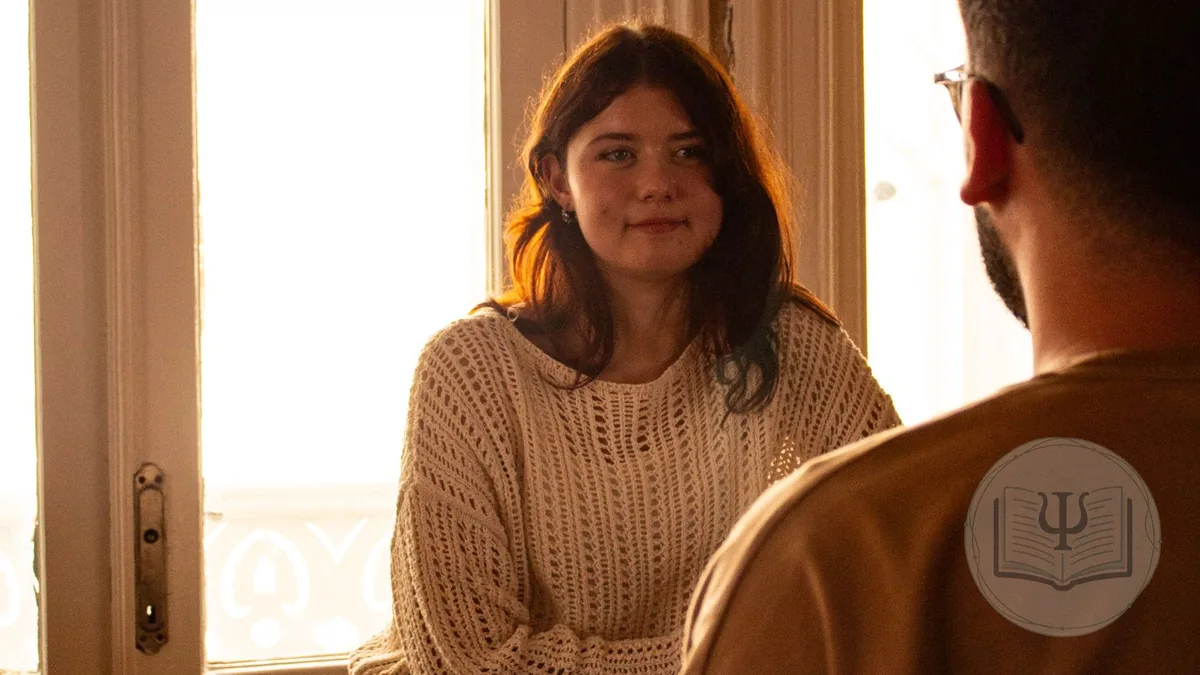
Tuesday, 6 pm. Elena has been coming at the same time for three weeks. Today she sits down, puts her bag on the floor and stays quiet for almost a minute. You don’t fill that silence. When she finally speaks, her sister comes up, someone who wasn’t on the list she had typed into her phone, and the whole session goes that way. At 6:50 she says goodbye and the room is left with the feeling that something has shifted. Then comes the other half of the job: writing up the session before you forget it, taking payment, answering someone who asks whether you have a slot on Thursday and chasing the consent form a new client still hasn’t signed.
That second half should take up very little of your week. In this guide we look at what software for humanistic therapists really needs to do, how My Psico Agenda handles it, using the names you will see on screen, and what it doesn’t do, so you can decide with all the facts.
What humanistic therapy is, and why it changes what you need from software
The American Psychological Association dictionary defines humanistic therapy as a group of approaches that reject psychoanalytic and behavioural models, seek to foster personal growth through direct experience, and focus on the here and now, personal responsibility and trust in natural processes. Its examples are client-centred therapy, Gestalt therapy, existential psychotherapy and experiential psychotherapy. Humanistic psychology arose in the early to mid twentieth century as a response to psychoanalysis and behaviourism; Carl Rogers put the individual at the centre of therapy, and Abraham Maslow helped establish it as a “third force” in the 1950s.
In day-to-day practice management, that has very concrete consequences. The relationship is your main tool, so anything that distracts you during a session takes something away. Processes rarely have a fixed number of sessions: they last as long as the person needs, and it is often the client who suggests spacing them out or finishing. Notes are written in words, hardly ever in diagnostic codes. And the same time, in the same room, every week, is part of the frame that holds the work. If you want to go deeper into the relational side, we have a guide to the therapeutic alliance.
What software for humanistic therapists needs
Whether you call it a practice management system, a scheduling app or humanistic therapy software, we are talking about the place where your calendar, client records, notes, consent forms and invoices live. In a humanistic practice it should let you:
- Welcome a new client without spending the first half hour on paperwork.
- Keep their regular weekly slot without creating appointments one by one, and with no end date if there isn’t one.
- Write free-form notes for each session, linked to that session, and a history in your own words.
- Forget about the screen while you are with the client.
- Have reminders and booking requests handled without you answering messages late at night.
- Take payment per session or with session packs, and invoice with or without VAT depending on your qualifications.
- Protect what is said in the room, because it is health information.
Some things are surplus. Practice management software for humanistic therapy doesn’t need to suggest diagnoses, goal templates or progress charts that turn each person into a curve. If saving an appointment means filling all of that in, the software will get in your way every single week. Our guide to software for therapists has more general criteria for comparing options.
A first session without paperwork: form and consent before they arrive
First meetings set the tone. If they start with a clipboard, a pen and ten minutes of personal details, the client reaches what they came to talk about already tired. In My Psico Agenda, when you add a patient you choose between “Create patient”, the usual record, and “Send form to the patient”. With the second option you pick the type of patient (“Individual”, “Couple”, “Child” or “Child with siblings”), tick the details they will fill in, and the app generates a link that expires after 48 hours and works for one person only. You send it with “Send via WhatsApp” or copy it wherever you like.
The details you tick are remembered, so next time the same ones will be selected. They can include your own custom fields, such as the reason for coming or how they found you. When the client finishes, their record appears in your dashboard straight away, without reloading, with the notice “Elena has filled it in!”. If you already had a record with their name and phone number, the dashboard tells you.
Consent, signed through the same link
If you leave “Send consent to sign” switched on, once the form is done the client reads your informed consent and signs it right there, with a finger on their phone. The signed document is saved in their record. You edit the text clause by clause, so you can explain in your own words how you work, what happens if someone can’t come and what a session costs. If you would rather talk it through in person first, switch it off and send it later from their record. Our page on informed consent in psychology explains the templates in detail.
That way the first hour can start with the person. For the rest of that first appointment, see our guide to new patient onboarding.
The same time every week with “Recurring therapy”
In humanistic work, rhythm matters. Knowing that Tuesday at 6 pm is your time, and that nobody else will take it, gives a continuity clients notice. In the scheduling software for humanistic therapists that My Psico Agenda provides, this is “🔁 Recurring therapy”, one of the options when you create an appointment. You choose the frequency (“Every week”, “Every 2 weeks”, “Every 3 weeks”, “Every 4 weeks” or “Once a month”) and whether the series has “A set number” of sessions or runs “Forever”.
“Forever” suits open-ended work. The app books the sessions for the next five months and keeps adding more as they go by, so the slot stays held without you having to remember. If a date clashes with another appointment, it skips it and tells you which one. When you agree on a change, say moving from 6 pm to 7 pm, you choose “Only this session” or “This and the following ones” when you save. Sessions that have already happened are left untouched.
Spacing sessions out and ending the process
Many humanistic processes wind down gradually: every two weeks first, then once a month, and one day the client says they are done. To do this in the calendar, remove the first session that no longer applies and, when the app asks what you want to remove, choose “This and the following ones”. Then create a new series with “Every 2 weeks” or “Once a month”. Everything before stays in the record with its notes, and each appointment still shows which session number it is.
50 minutes, an hour or however long your session lasts
Every therapist has their own measure. Some work in 50-minute sessions, some prefer the full hour and some give the first meeting extra time. When you create an appointment for someone who has been before, the app copies the length, the price and the “Therapy type” from their last appointment, so you only pick the day and time.
For new clients there is another shortcut. If you work for yourself, under “Work Centers” each place where you see clients can have its own “Session length”: “Not set”, 30, 45 or 50 minutes, 1 h, 1 h 30 or “Other…”, in five-minute steps. If you do 50 minutes in your own office and an hour at the practice where you rent a room on Thursdays, picking that practice on a new appointment sets the length for you. It only applies when the client has no earlier appointments and you haven’t changed the length by hand. The same practice form also has a default price, which works the same way.
Notes in your own words: clinical history and session notes
In a humanistic approach you write down little diagnosis and a lot of process: what the person brought, what they felt as they said it, what was left open for next week. A template full of tick boxes doesn’t help with that. In My Psico Agenda every record has its “Clinical History” in free text, and every appointment has its “Details / Notes” field for that day. Tuesday’s notes stay attached to Tuesday, and months later you can read the whole process in order.
If you want to keep some details in a structured way, go to Settings and, under “Additional fields in patient records”, create your own fields, which then show up in the “Additional data” section of each record. For example:
- “What they bring”, as long text, in the client’s own words from the first session.
- “Agreed frequency”, as a list: weekly, fortnightly or monthly.
- “Stage of the process”, as a list: beginning, working, spacing out or ending.
- “Referred by”, as short text.
If a client or a colleague asks for a report, “Download the record as PDF” lets you choose which details to include. There are more ideas for organising it in our guide to clinical records in psychology.
During the session, a quiet screen
With a client in front of you, the best thing software can do is stay out of sight. My Psico Agenda has a “Live session alert” that shows the session in progress in real time, with a countdown and buttons to finish or cancel it. It can help you keep to time. If a countdown pulls you out of listening, switch it off in Settings ▸ Appearance and the screen stays still.
What happens between sessions doesn’t have to land on your phone at all hours either, as the next two sections show.
WhatsApp reminders without chasing anyone
A no-show leaves a gap you can’t fill, and messaging every client the day before eats into your time. Automatic reminders go out on WhatsApp 24 hours before the session, with the date, the time and two buttons to confirm or cancel. The answer shows up in your calendar: a tick if they confirm and a free slot if they cancel, in case you can offer it to someone else. If a client would rather not receive them, you switch them off in their record. Our page on WhatsApp reminders for psychologists has the details.
Let clients ask for a time without texting you at 11 pm
Each client has their own space in My Psico Agenda, which they open with a code and a PIN, with nothing to install. There they see their upcoming sessions, request a time in the free slots of your working hours or cancel an appointment. The request lands in your calendar and you accept it once you have finished work.
For people who aren’t clients yet there is “Patient Space”, in Settings. If you open your calendar to the public, you get your own link, along the lines of /reservar/your-name/, to put on your website or social profiles. Visitors see your free one-hour slots and, when they choose one, your WhatsApp opens with a message already written: “Hi! I’d like to book on… at…”. Nothing gets booked on its own: you create the appointment once you have talked, so the first conversation is still with you. We go into this in more detail in our article on online booking for therapists.
When someone stops coming
Humanistic therapy places a lot of weight on each person’s choices, including the choice to leave. But ending a process is not the same as quietly fading away without anyone noticing. In your patient list, a card shows how many clients are active and how many are inactive. For the app, inactive means two months or more without any session and nothing booked. Tap the card and you get the list, from whoever has been away longest to whoever has been away least, with the date of their last session and a “Contact on WhatsApp” button that opens a chat with their number. What to write, or whether to write at all, is up to you.
Payments, session packs and invoices, with or without VAT
Humanistic therapists come from different trainings, and that shows on the invoice. In Spain, the VAT Act exempts healthcare provided by health professionals, and it names psychologists explicitly; if you work as a humanistic therapist without that status, you will usually charge VAT. We explain this in more detail in our article on software for Gestalt therapists, where the same question comes up.
In My Psico Agenda invoices are created as drafts, and each one has a “VAT-exempt (healthcare)” box. If you untick it in the draft, you choose the VAT rate. On each appointment, “Record payments” lets you log one or several payments, with the method and the date, and the appointment is marked “Paid” or “Partially paid”. Session packs suit clients who prefer to pay for several sessions in advance: each session uses one up and the client can see in their space how many are left. At the end of the month, the “Unbilled sessions” tab shows what is pending and the wizard creates one invoice per client. In Spain, invoices come out ready for VeriFactu.
Humanistic therapy in your statistics
Few therapists work with a single approach. On every appointment you can pick the “Therapy type” from 17 options, including “Humanistic Therapy”, “Gestalt” and “Mindfulness”. It is optional and is copied from the client’s last appointment. In Statistics, the “Therapy Types” chart shows how many sessions you give to each approach, and each client’s record shows their sessions, hours and attendance.
Confidentiality: what is said in session is health data
Whether you trained in clinical psychology or followed another route, what clients tell you is health information, and data protection law gives it extra protection. The UK regulator’s guidance on special category data explains why data concerning health is singled out as more sensitive, and the same idea runs through the EU GDPR. In My Psico Agenda data is stored encrypted on servers in the European Union, with a daily backup. You can switch on two-step verification at login and a PIN that locks the sensitive sections. The details are on our security page.
If several humanistic therapists share a practice
In a practice, each therapist has their own calendar and the management sees the whole team’s calendars in real time, along with rooms, commissions and invoicing. Every appointment books its room and the app warns you if it is already taken at that time. If a client moves from one therapist to another, the practice can duplicate their record into the colleague’s calendar, and the clinical history still belongs to each professional. The three practice plans are explained on our page about software for psychology practices.
What this software for humanistic therapists doesn’t do
- It has no built-in video calls. If you work online, use the platform you already have; the appointment, the reminder and the invoice still go in the calendar.
- It doesn’t manage groups: each appointment is for one person, a couple or siblings. You hold the time for a group or a workshop with a block.
- It doesn’t run questionnaires or draw progress charts. Anything you want to measure, you note down yourself.
- Clients can’t upload files from their space, although they can see the ones you choose to share.
- The public calendar doesn’t book by itself: it opens your WhatsApp and you create the appointment.
How much software for humanistic therapists costs
My Psico Agenda is paid monthly, with no minimum term. Prices exclude VAT:
- Semilla, €4.99 a month: to get started, with up to 15 patients.
- Júnior, €19.99 a month: unlimited patients, 100 VeriFactu invoices and 100 automatic reminders a month.
- Sénior, €29.99 a month: unlimited invoices and 250 reminders a month.
- For practices, Centro Mini at €99.99 a month for up to 5 therapists, Plan Medio at €129.99 for up to 10 and Centro Super at €159.99 for up to 15.
If you work for yourself, the first month of the Júnior plan is free, with no card needed. That is plenty of time to try this software for humanistic therapists with your real clients and see whether it lets you work in peace. The full comparison is on our pricing page, and there is an overview on the page about software for self-employed psychologists.
How to get started without changing the way you work
- Create your account and choose the free month in the welcome window.
- Bring your clients over from an Excel or CSV file, or from Google Contacts.
- Review your consent form and write your frame into it: hours, fees and cancellations.
- Add your work centres with their price and “Session length”.
- Book each client’s regular slot with “Recurring therapy”.
- Send the form to your next new client so they arrive with everything signed.
Frequently asked questions about software for humanistic therapists
The questions that come up most when a humanistic practice is looking for software for humanistic therapists.
What is software for humanistic therapists?
It is practice management software (calendar, client records, notes, consent forms, reminders and invoicing) that fits the way humanistic therapy works: processes without a fixed number of sessions, the same time every week and notes written in your own words. My Psico Agenda brings all of that together in the browser and on your phone.
Does it work if I am a humanistic therapist but not a registered psychologist?
Yes. The app works the same whether or not you are a health professional. The difference is on the invoice: in the draft you can untick the “VAT-exempt (healthcare)” box and choose the VAT rate that applies to you.
Can I keep the same weekly slot with no end date?
Yes. When you create the appointment, choose “Recurring therapy”, the frequency and “Forever”. The app books the sessions for the next five months and keeps adding more as they go by. If a date clashes with another appointment, it skips it and lets you know.
Can clients fill in their details and sign the consent form before the first session?
Yes. “Send form to the patient” creates a link that lasts 48 hours. The client fills in their details and, if you leave “Send consent to sign” switched on, reads and signs the consent form on the same page. Their record appears in your dashboard as soon as they finish.
Can I write notes my own way, without templates?
Yes. The “Clinical History” in each record is free text, and every appointment has its own “Details / Notes” field for that session. If you want some details structured, you can create your own fields under “Additional data”.
Can I turn off the countdown that appears during a session?
Yes. The “Live session alert” is on by default and you switch it off in Settings ▸ Appearance. With the alert off, the screen doesn’t change while you are with the client.
How much does it cost?
The Semilla plan costs €4.99 a month + VAT, with up to 15 patients, and Júnior costs €19.99 a month + VAT, with unlimited patients. For practices, Centro Mini costs €99.99 a month + VAT for up to 5 therapists. There is no minimum term and the first month of the Júnior plan is free, with no card needed.